

Prerequisites
If you are using a Self-Managed GitLab instance (hosted on-premise or in a private cloud), you must ensure Refacto can communicate with your server.Allowlist Refacto IPPlease configure your firewall or security group inbound rules to whitelist the following IP address to ensure uninterrupted connectivity:
3.131.112.244Go to Integrations
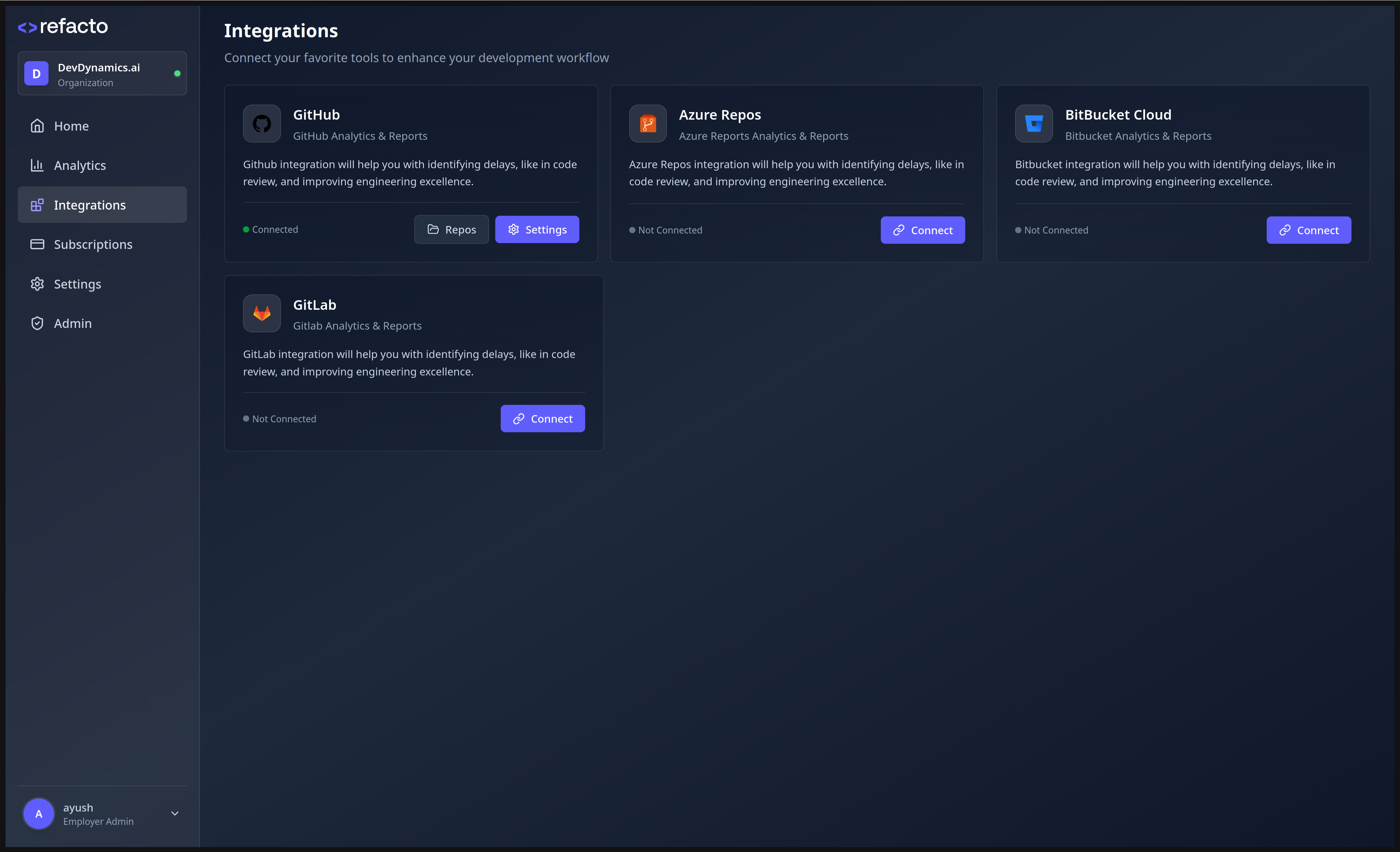
- Navigate to the Integrations page in your Refacto dashboard.
-
Click Connect on GitLab.
Create a Personal Access Token
You need to create a GitLab Personal Access Token with appropriate permissions.⚠️ You must have Administrator / Owner access to the GitLab group or instance to generate API tokens and create webhooks.
- Log in to GitLab with an account having Owner/Admin permissions.
-
Navigate to User settings → Personal access tokens → Add new token, or open directly:
https://gitlab.com/-/user_settings/personal_access_tokens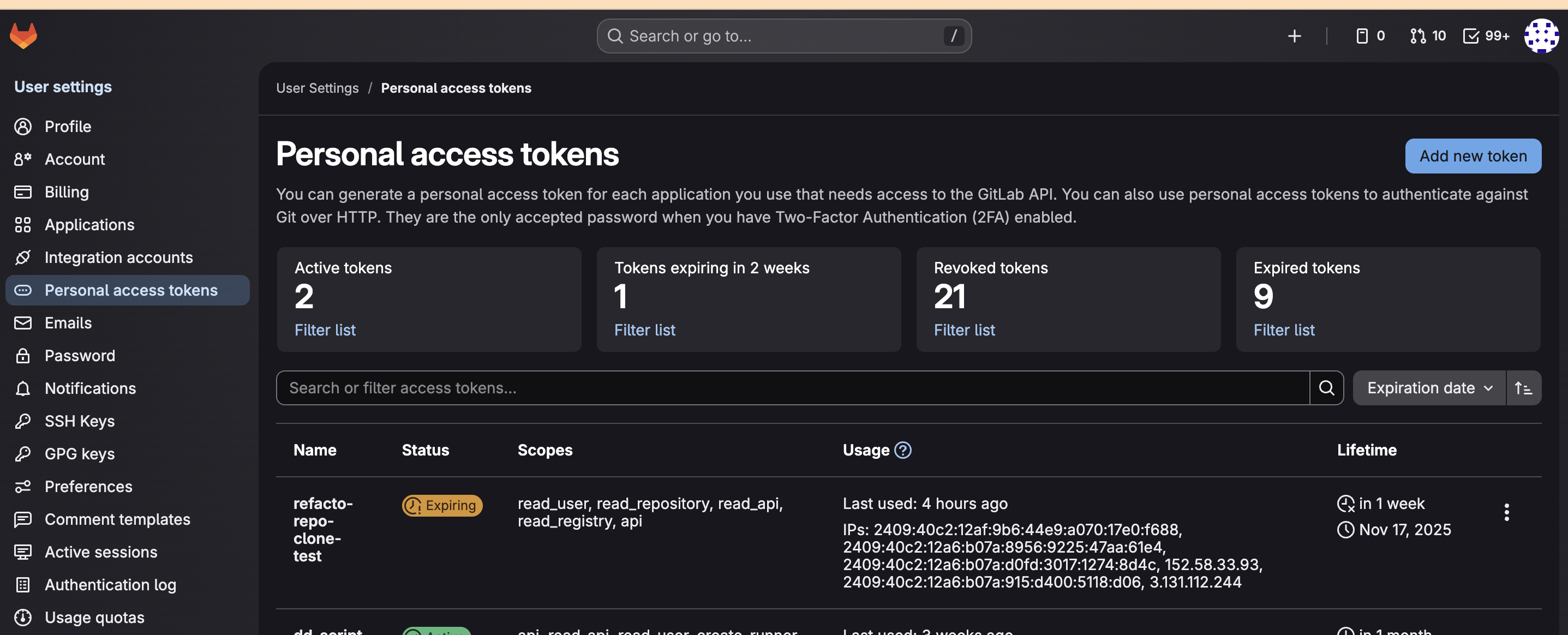
-
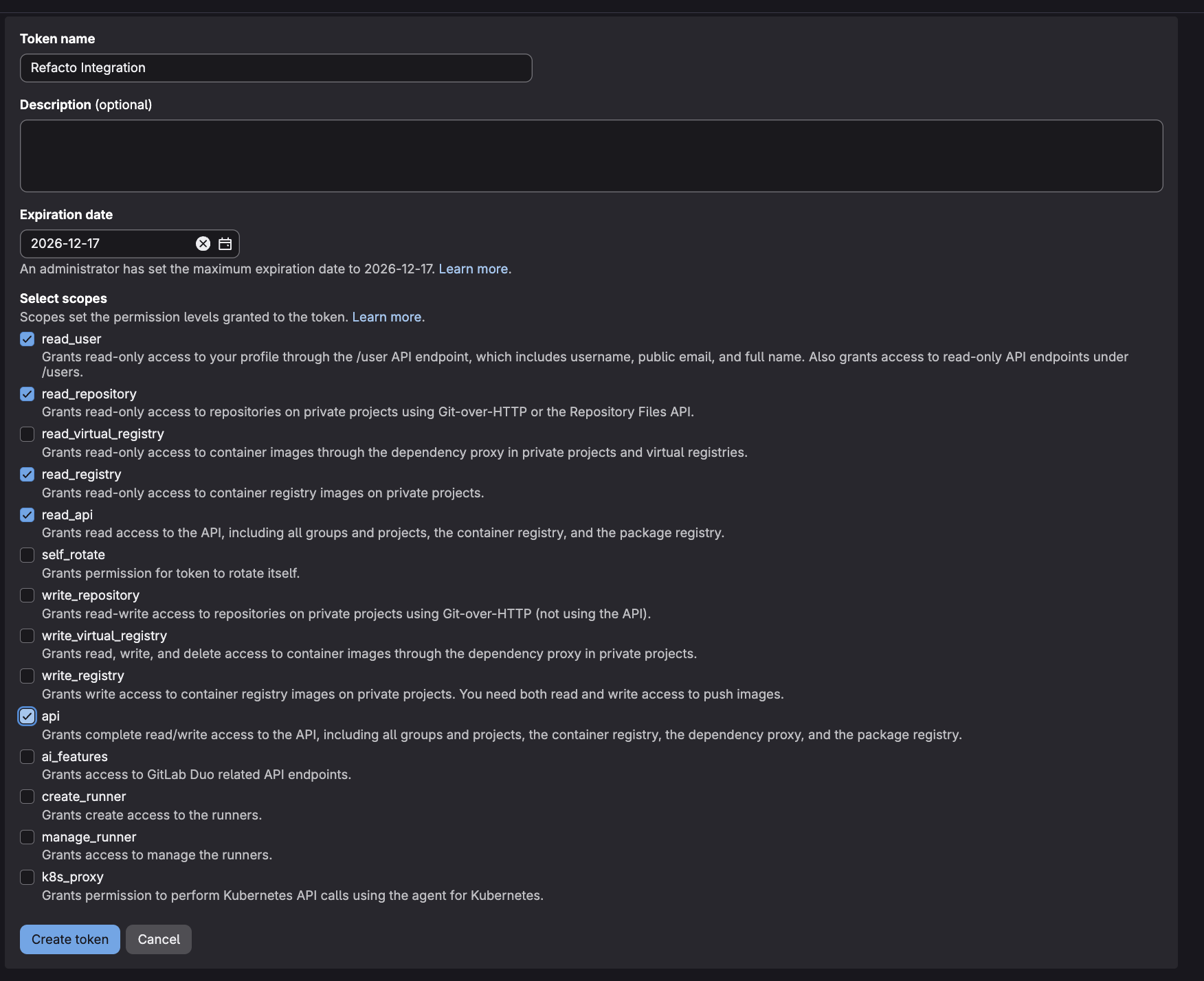
Under Create a personal access token, fill in the following:
- Token name:
Refacto Integration - Expiration date: Recommended 180–360 days
- Token name:
-
Under Select scopes, enable the following required scopes:
-
Review the selected scopes and click Create token.
Important: Copy the generated token immediately. It will be shown only once.
Fill in the Setup Form
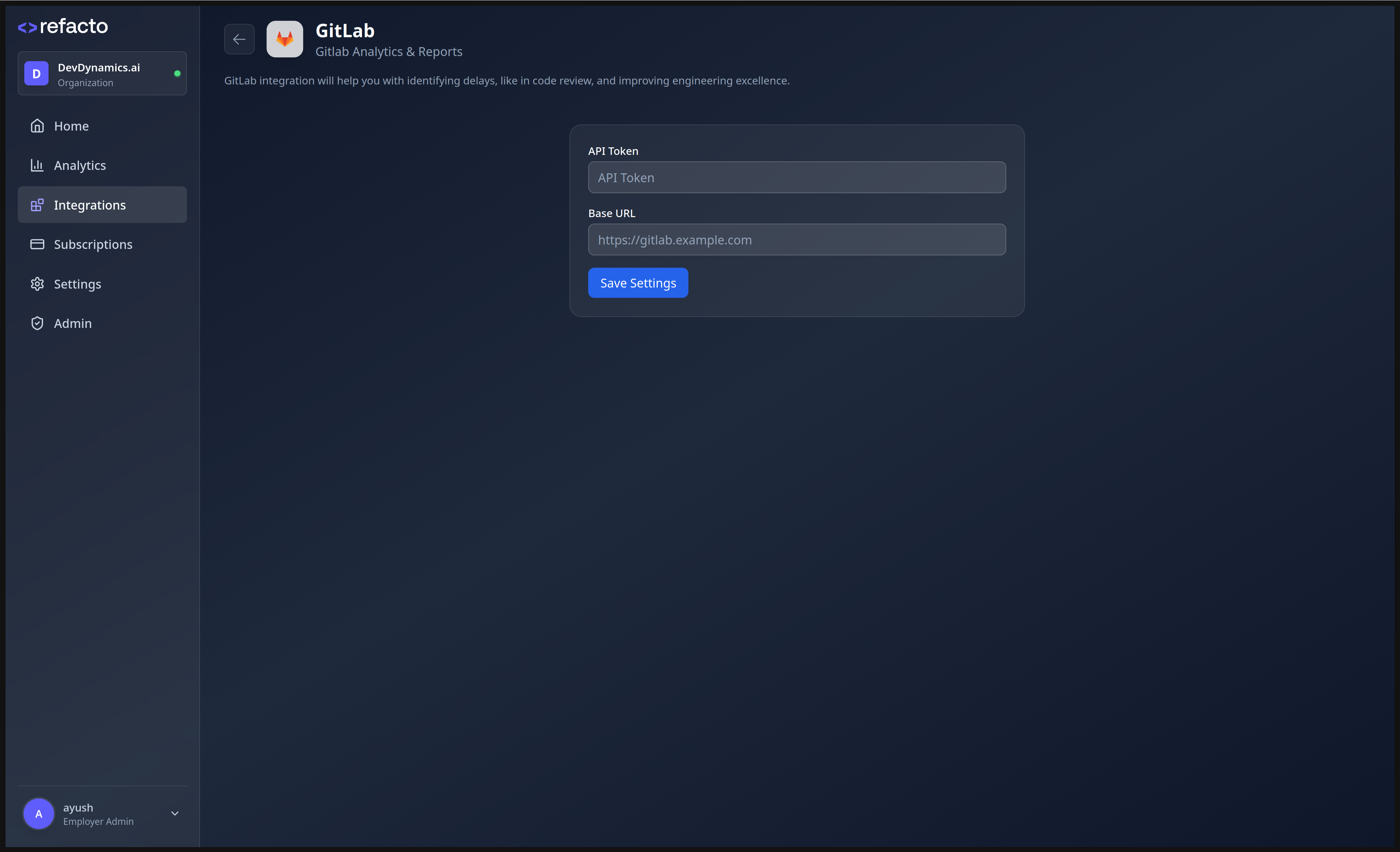
On the GitLab setup page in Refacto, enter the following details:
-
GitLab Instance URL – (e.g.,
https://gitlab.comor your self-managed GitLab URL). -
Personal Access Token – The token you generated in the previous step.
Done
Your GitLab integration is now active. Refacto will automatically:
- Discover repositories
- Create required webhooks
- Start analyzing merge requests